
- Klimov☕
- Flávia☕
- Jonathan☕
- Ivan☕
- Hotctime☕
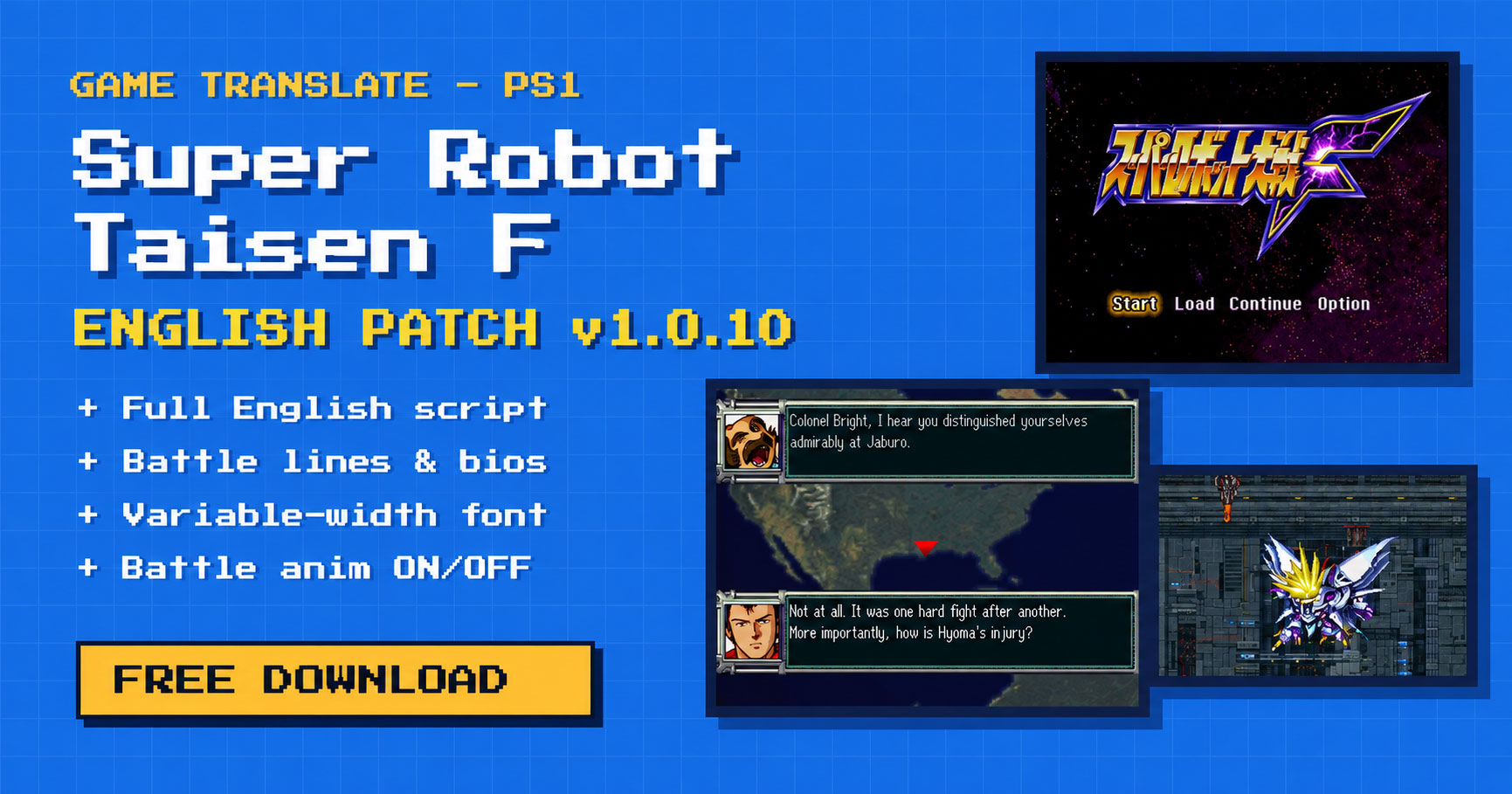
GAME TRANSLATE · PS1 · ENGLISH PATCH v1.0.10
Super Robot Taisen F
Super Robot Wars F in English
Banpresto’s 1998 PlayStation strategy RPG, playable in English from the first sortie to the last chapter. Every line of the story, every battle quote, every menu and every pilot bio is translated, in a new, easy-to-read English font. As a bonus, you can now switch battle animations on or off right from the battle menu.
C9D941BALoading the patcher…
Your files stay on your device: everything happens in your browser, nothing is uploaded.
About the game
 YouTube video player
Super Robot Taisen F (Super Robot Wars F) is the PlayStation version of the first half of the big two-part Super Robot Wars story that ends in F Final. It throws the casts of more than a dozen anime together on one map: Gundam Mk-II and Zeta Gundam, Mazinger Z, Getter Dragon, Combattler V, Dancouga, Billbine, Calvary Temple, the Shining Gundam, Masaki and his Cybuster, and many more.
You lead Londo Bell through a war on several fronts at once: the Titans and their schemes inside the Earth Federation, the DC remnants, and an alien threat closing in on Earth. Between battles you upgrade units, swap pilots and fit parts in the Interlude, and when you clear the last chapter the game saves your data for the sequel, Super Robot Wars F Final.
Screenshots
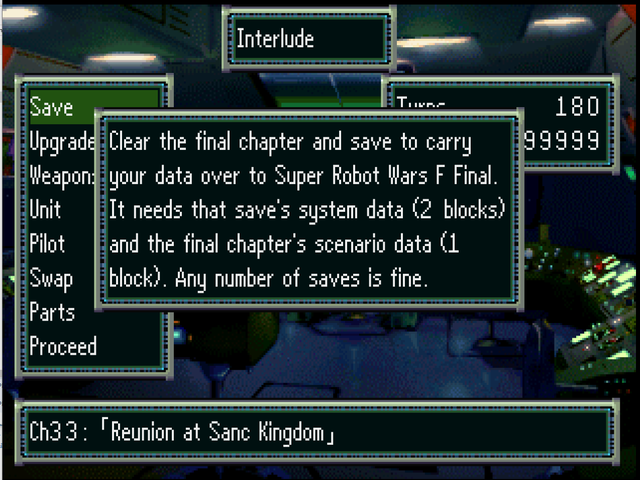
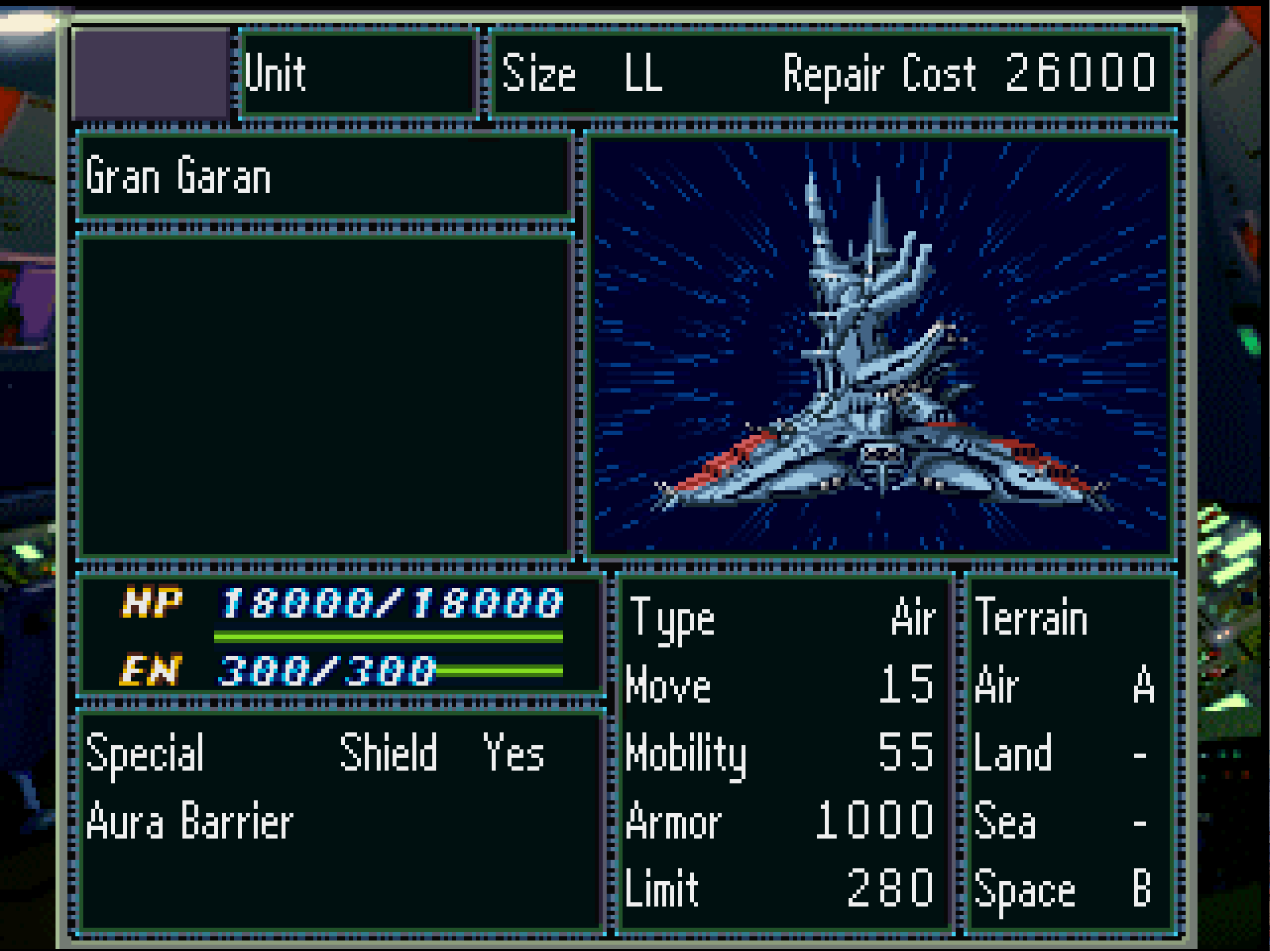
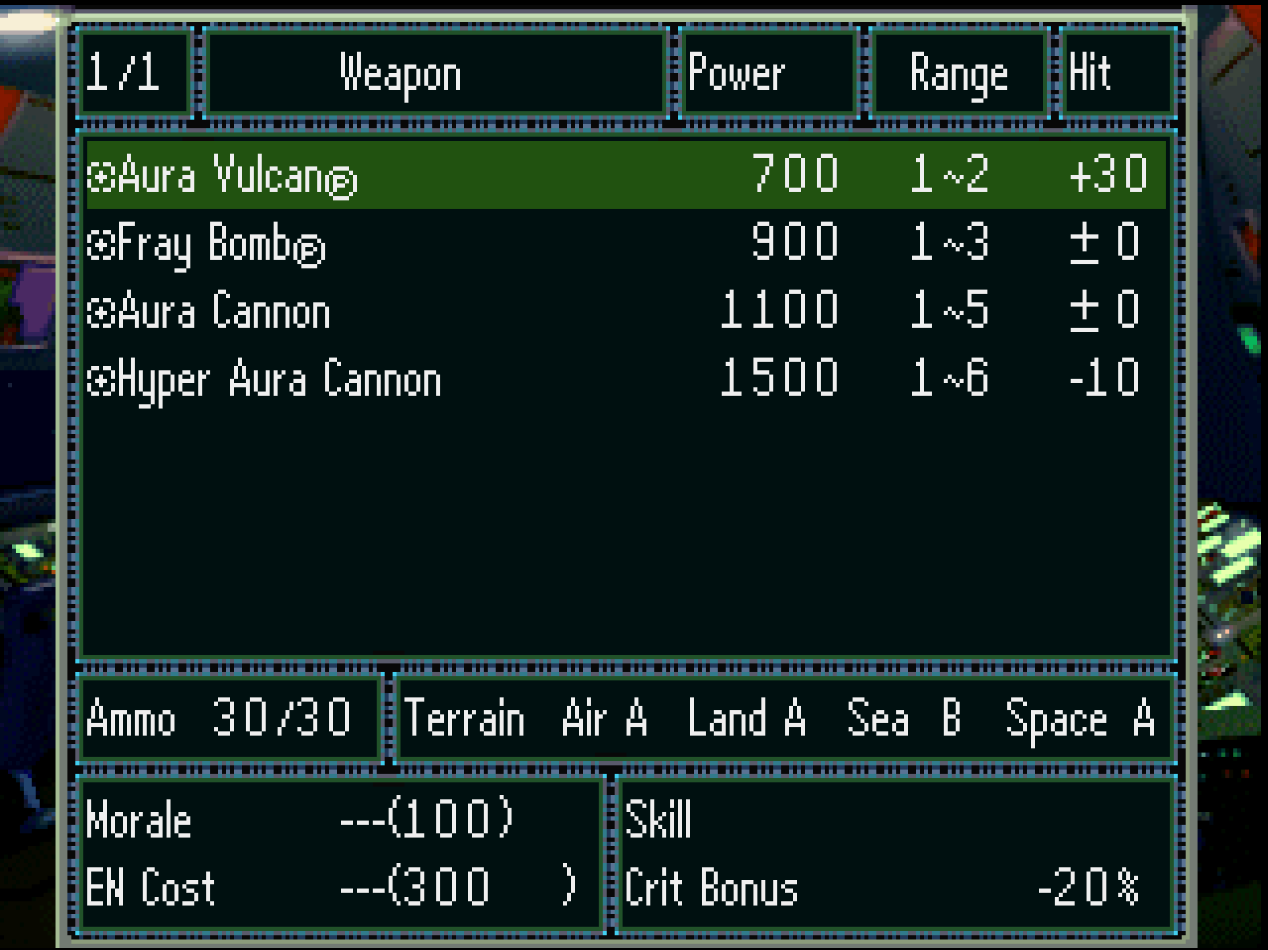
What’s translated
New in this patch
A variable-width English font
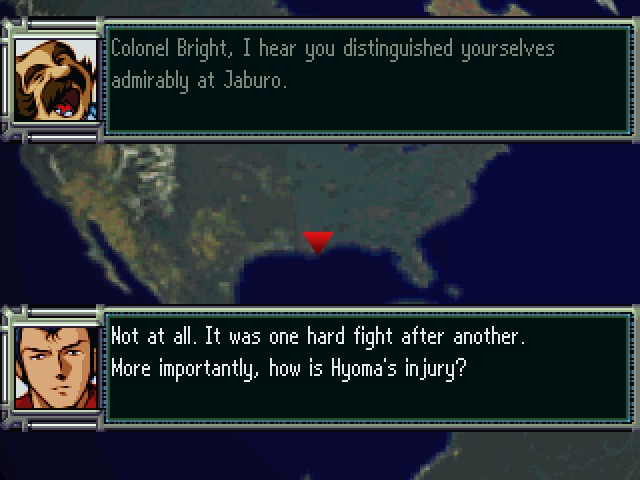
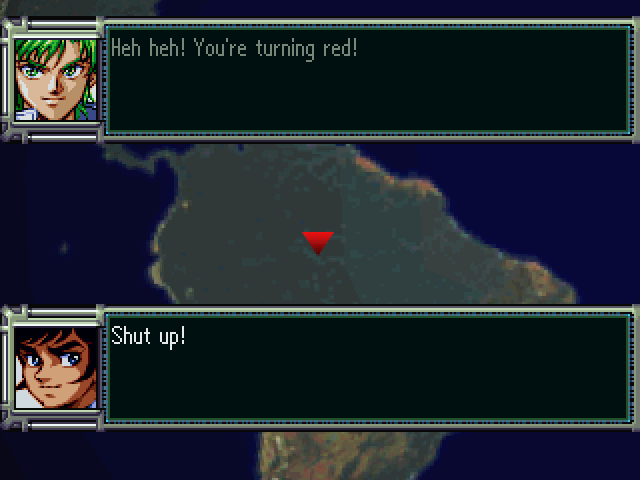
Dialogue and menus use a clear, variable-width English font. A dialogue line fits about 252 pixels of text, so sentences read naturally instead of being squeezed into Japanese-sized cells.
Battle animations ON / OFF
The attack confirmation menu (Battle / Evade / Defend / Anim) and the counter menu now have an Anim ON / OFF line, so you can skip the battle scenes whenever you like.
Results on the map
With animations off, every hit shows the map HP gauge on the unit: the bar drains to the new HP, the damage bounces above it and HIT!, CRITICAL! or GUARD! sits on top. A miss shows MISS! or EVADE!.
Bios, previews & credits
The character and robot dex, the ending preview screens and the full staff credits are in English too.
Controls
| BUTTON | WHAT IT DOES |
|---|---|
| ○ | OK / select |
| × | Back / cancel |
| △ | Speed up |
| □ | Full map |
| START | Unit list |
| L1 R1 | Next / previous ally |
| L2 R2 | Next / previous enemy |
These are the defaults. You can change them under Settings → Buttons.
How to patch
- Get a clean Japanese disc image. You need your own Redump dump of Super Robot Taisen F (Japan), SLPS-01727, as a 2-track BIN/CUE (data + audio). Only Track 1 is patched; its exact size and checksums are in the readme and in
CHECKSUMS.txt. CHD, ISO or single-BIN images need to be converted to BIN/CUE first. We can’t share the game, so please don’t ask. - Download and unzip the patch. Inside are the patch in three common formats (
.bps,.ppf,.xdelta), a ready.cuefile, the checksums and a readme. - Patch Track 1 in your browser. Open the online patcher, pick your Track 1 .bin and click Apply patch. Nothing to install, and your game file never leaves your computer. Prefer offline tools? Use the
.bpswith Floating IPS, the.ppfwith PPF-O-Matic or the.xdeltawith Delta Patcher. - Put the disc together. Name the patched file
Super Robot Taisen F (English v1.0.10) (Track 1).binand put it in one folder with the includedSuper Robot Taisen F (English v1.0.10).cueand your original Track 2. - Play. Open the new .cue in your emulator. Tested in DuckStation.
Start fresh. Boot the game normally and load from the memory card. Don’t load emulator save states made with the Japanese game or with an older build: a save state brings back the old program with it. Saves from the Japanese version haven’t been tested, so a new game is recommended.
Known issues
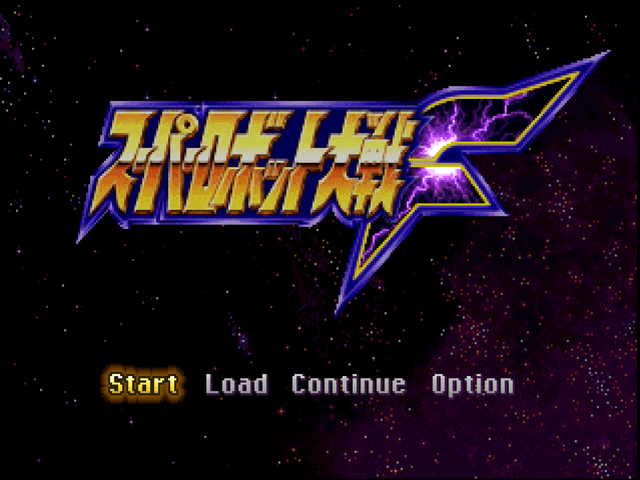
- The title logo is the original Japanese one.
- A few labels are abbreviated (for example Mobil., Armr, Lim.) because those menu boxes have a fixed width.
- With battle animations off, the messages that normally appear inside the battle scene (EXP gained, level up) may not show. The values are still applied.
- The map pop-ups are tested on normal one-on-one attacks; MAP weapons with animations off haven’t been checked yet.
- Only tested in DuckStation so far. If it misbehaves in another emulator or on hardware, please tell us which one.
Found a typo or a line that reads oddly? Leave a comment below with where it happened (a screenshot helps) and it’ll be fixed.
FAQ
Is the translation complete?
Yes. The whole story, all battle and defeat lines, every menu and help text, the dex, the ending previews and the credits are in English. Only the title logo is still in Japanese.
Can I use DuckStation’s automatic PPF patching?
No. The English text needs more room than the Japanese, so the patched Track 1 is a little bigger than the original, and patching on the fly inside an emulator can’t make a track bigger. Make the patched .bin once with the online patcher or one of the tools above, then play that.
The patcher says “Invalid input ROM checksum”.
Your Track 1 isn’t the clean Redump dump of SLPS-01727, or it was already patched. Compare it with CHECKSUMS.txt, make a fresh 2-track BIN/CUE dump and try again.
How do I turn battle animations off?
When you attack, the confirmation menu shows Battle / Evade / Defend / Anim. Move to the last line and press ○ to switch between Anim ON and Anim OFF. The counter menu on the enemy turn has the same line.
Can I upload the patch to another site?
Not without permission. Please share the link to this page instead, so everyone gets the latest version. If you’d like to host or mirror it, email gametranslate.us@gmail.com. Pre-patched disc images must never be shared: the game itself still belongs to its owners.
Sharing & redistribution
⚠️ Please don’t re-upload this patch
This patch took months of translation and ROM hacking. To keep one up-to-date, safe copy for everyone:
- Do not upload the patch file (or a pre-patched disc image) to any other website, file host, forum, Discord server or ROM site without written permission from Game Translate.
- Do link to this page instead. Sharing the link is always welcome, and it means people get the latest version and the install guide.
- Don’t sell the patch, put it behind a paywall, or bundle it with games, repro discs or any paid product.
- Videos, streams and let’s plays are welcome. A link back to this page in the description is appreciated.
Want to host or mirror it, or include it in a collection? Just ask at gametranslate.us@gmail.com. We usually say yes.
Credits
Translation, ROM hacking & tools: belfallen (Game Translate)
Original game: Super Robot Taisen F © 1998 Banpresto. All series, characters and mecha belong to their respective owners.
v1.0.10 · October 22, 2026 · corrected the out-of-range compressed dialogue link responsible for a freeze after Kōji’s final dialogue, before Shapiro’s next monologue. The repaired text stays within the loaded scenario and uses proper page breaks. No changes to other scenarios, routes, or battle data.
v1.0.9 · October 22, 2026 · memory card messages: “You have never saved on the map, so you cannot continue” (Continue without a map save) no longer opens a window wider than the screen; the other long memory card messages are split into shorter lines too, and “Loading data…” closes its bracket. Already patched? Patch your clean Track 1 again with v1.0.9.
v1.0.8 · October 21, 2026 · BGM titles: the track “V Gundam” now reads “Nu Gundam”. Already patched? Patch your clean Track 1 again with v1.0.8.
v1.0.7 · October 21, 2026 · battle animations OFF: every hit shows the map HP gauge on the unit (the bar drains, the damage bounces above it, HIT! / CRITICAL! / GUARD! on top); every miss now shows MISS! or EVADE! (a plain miss showed nothing before); no counterattack pop-up after the target is destroyed by the first attack. Already patched? Patch your clean Track 1 again with v1.0.7.
v1.0.6 · October 21, 2026 · Character Guide / Robot Guide texts use the full width of the box and long pages show in full; one normal space between first and last names; Robot Guide Size / Mass follow the label with “m” / “t”; Character Guide “(nickname)” closes right after the name. Hero preset 3 is now Hec Madison (the old name overflowed its field). Already patched? Patch your clean Track 1 again with v1.0.6.
v1.0.5 · October 20, 2026 · Parts screen: the arrows no longer cover the current stat values; Settings: the green bar of the selected option has the same size on every line. Already patched? Patch your clean Track 1 again with v1.0.5.
v1.0.4 · October 20, 2026 · fixed a freeze when opening the Unit List from the map menu (since v1.0.2). Already patched? Patch your clean Track 1 again with v1.0.4.
v1.0.3 · October 20, 2026 · hero and partner full names shown first name first; Saphine’s robot is the Wiesel Kai; “La Vie en Rose” in full on the map; one spelling for names and ranks (Captain Quattro, Mirary, Logo Dau, Musiy); small punctuation fixes. Already patched? Patch your clean Track 1 again with v1.0.3.
v1.0.2 · October 20, 2026 · terrain window heal line and terrain names fixed; “Skills”, “Unit Repair” and “Save” use the same font as the other labels; Weapon page shows “Range” and spells out Air/Land/Sea/Space; upgrade screens spell out Mobility/Armor/Limit; “Pilot View” / “Unit View”, “LR: Next Pilot”; Bonus EXP levels line up. Already patched? Patch your clean Track 1 again with v1.0.2.
v1.0.1 · October 20, 2026 · fixed a freeze when checking terrain on the map, “%” shown correctly in the terrain window, Unit/Pilot status and Parts screens spell out Air/Land/Sea/Space and Mobility/Armor/Limit, 5 lines re-translated after a kanji re-check.
v1.0 · October 19, 2026 · first public release
Enjoying Super Robot Wars F in English? This patch is free and always will be. If it let you finally play it, a coffee helps fund the next translation.
⬇ Download patch v1.0.10ZIP · 5.3 MB · free
Game Translate Author Pinned
Changelog v1.0.8:
Battle animations OFF: every hit shows the map HP gauge on the unit (the bar drains, the damage bounces above it, HIT! / CRITICAL! / GUARD! on top); every miss now shows MISS! or EVADE! (a plain miss showed nothing before); no counterattack pop-up after the target is destroyed by the first attack.
Game Translate Author
Here’s a quick update on Super Robot Wars F Final!
Good news: F Final shares the same font, character encoding, and underlying engine as Super Robot Wars F. The code has been rearranged, but I’ve already mapped roughly 64% of the corresponding machine code between the two games.
This means I can reuse much of the technical work from F, including the VWF font, menu improvements, and the Battle Animation ON/OFF feature. I’ll still need to locate and adapt the relevant code hooks in F Final, though.
There’s also quite a bit of translation work I can carry over from F:
– 3,039 out of 3,164 strings already match my existing translation table, including pilot names, robots, weapons, Spirit Commands, and skills.
– 6,253 out of 6,321 battle dialogue lines are identical to those in F.
The biggest challenge will be the story.
F Final contains approximately 14,600 unique story dialogue lines, around 2.6 times as many as F. Only about 370 of those lines overlap with the original game, so almost the entire story will need to be translated from scratch.
I’ll be working through the scenarios in batches, carefully translating and integrating the dialogue as I go.
The good news is that I won’t have to rebuild everything from zero. All the technical groundwork from F should give this project a significant head start!
There’s still a lot of work ahead, but I’m excited to bring F Final to English-speaking players as well. Thanks for following the project and supporting my work!
s65
the srw F chinese mod managed to merge both game into one. Can you do that after you done with F final english patch ?
Game Translate Author
@s65 Yes, that’s actually something I’m planning to do! Once I’ve finished the F Final English patch, I’ll work on merging F and F Final into a single game, similar to what the Chinese mod achieved. One step at a time!
Game Translate Author
Quick changelog:
v1.0.4 (October 20, 2026)
– Fixed a freeze when opening the Unit List from the map menu (since v1.0.2)
– The hero’s and the partner’s full names are shown first name first (e.g. “Ensign Jess Starlord”) they were reversed in a few lines.
– Saphine’s robot is the “Wiesel Kai” (was mislabelled “Weissritter Kai”).
– “La Vie en Rose” spelled in full on the map; Master Asia’s stage title uses “Undefeated East” like the dialogue.
– Names and ranks spelled one way everywhere: Captain Quattro (was “Lieutenant” in a few scenes), Mirary, Logo Dau, Musiy, Glemy.
– Small punctuation and stutter fixes (“W-what?!” instead of “W-What?!”).
– Terrain info window: the “Heal HP10% EN10%” line no longer runs under the box divider (the heal box is one cell now) “Forest”, “Woods”, “Deep Sea”, “Moon” and some place names are drawn in the normal font.
– “Skills” (map pilot window), “Unit Repair” (repair screen) and “Save” (map menu) now use the same font as the other labels.
– Weapon page: “Range” header; one Terrain box spells out Air / Land / Sea / Space.
– Unit Upgrade / Weapon Upgrade lists and the stat upgrade screen spell out Mobility / Armor / Limit.
– Unit lists: “Pilot View” / “Unit View” spaced the same way, pilot screen: “LR: Next Pilot”.
– Fixed: checking a map tile (terrain info) froze the game on most terrain types. Checking units and space tiles was not affected.
– Terrain info window shows “%” correctly (was “r”), e.g. “Hit 5% Down”.
– Sync rate line shows “%” after the value.
– Unit and Pilot status: the Terrain box is wider and spells out Air / Land / Sea / Space the Type box is narrower.
– Parts screen: the stat column is wider and spells out Move / Mobility / Armor / Limit part descriptions re-wrapped for the narrower box.
– 5 lines re-translated after a kanji re-check against the game font (story, one battle line, one pilot bio).
NikoKaro Bug HunterRegular
Hello. You mentioned that you want to create a tool to combine F and F Final, right? If so, I’ll definitely give it a try once it’s available. 🙂
Game Translate Author
@NikoKaro Yes, absolutely! That’s definitely part of my plan once I’ve completed the F Final English translation! 😄
You’ll be able to play “F and F Final separately”, just like the original releases, or use a “combined version that brings both games together”.
I’ll include both options in the patch release, so it’ll be entirely up to your personal preference.
Azure Seraphina Bug Hunter
I may have found a bug @Game Translate! I pressed X to check a meteor in Chapter 1 of the Real Robot route, and the game froze! Checking other units and space worked as intended, but checking any other type of tile causes the game to freeze.
I am running the game on Duckstation And could upload a video to show the error if you so wish? Otherwise, I am extremely impressed by this and hope that F Final will come out soon as well!
Game Translate Author
Thank you so much for reporting this bug and for your kind words! I really appreciate it! ❤️
I’ve investigated the issue and found the exact cause.
The game stores the terrain bonus as a combination of a number, a percentage sign, and “Up” or “Down” in a fixed-size buffer.
During translation, “Dwn” was changed to “Down,” adding just one extra byte. Unfortunately, that single byte overflowed the buffer and overwrote part of the terrain name pointer, causing the game to read an invalid memory address and freeze.
That’s also why Space tiles worked fine, since they don’t use the Up/Down modifier.
It’s amazing how a single extra byte can cause an entire game to crash! 😅
I’ve identified the problem, so I’ve already fixed it, and the fix will be included in the next patch update!
Thanks again for taking the time to report this! Feedback like yours is incredibly helpful. And don’t worry, F Final is definitely on my list! 😄
Hotctime Donator
thank you for your hard work , i appreciate it , one problem i cant find the .cue file in the zip folder
Game Translate Author
You don’t need a new .cue file. Just patch Track 1, then rename the patched .bin file to match the Track 1 filename referenced in your original .cue file. Keep Track 2 unchanged, and you’re good to go!
Monster Tamer X
I know I don’t have the right to demand anything from you for a free service, but could you please change the way patches are obtained on your site? There’s no way to get past the junk ads; I’ve spent an hour trying to get the download link, with no success. I don’t have a PayPal account to make a donation. I’m not against you having ads on your site, but could you please change how this works? Many people think your translations are just clickbait—and I would think so too, if you hadn’t sent me the link for *Super Robot Taisen D*.
Game Translate Author
I’m really sorry to hear you’ve had such a frustrating experience trying to download the patch. I completely understand how annoying that must be, especially after spending an hour trying to get through the ads.
Have you tried following the step-by-step guide here?
https://gametranslate.us/how-to-download/
Unfortunately, my website is still relatively small, and I don’t have enough traffic yet to qualify for better advertising networks that offer a much less intrusive experience.
I know the current ads are far from ideal, and believe me, I’m not happy with them either. I genuinely hope I’ll be able to get rid of this system soon, but unfortunately, I don’t have a viable alternative at the moment.
I really appreciate your understanding and patience. I also understand your concern about people thinking my translations are clickbait. That’s definitely not the impression I want anyone to have, especially considering how much time and effort I put into these projects.
Thank you for being honest with me about your experience, and for giving my work a chance despite the inconvenience. It really means a lot.
EhrgeizXV
Okay maybe I’m goin nuts @Game Translate, but you claim there’s a cue file in the patch’s zip, but I only see the .bps, .ppf, .xdelta, the checksums and a readme.
So I’m a little confused
Game Translate Author
Haha, you’re not going nuts, bro! 😅
Originally, I was planning to include a preconfigured .cue file with the English patch filename already set. But then I realized that might actually confuse people even more, since the .cue file only works if the .bin filename matches exactly what’s written inside it. If someone renames their .bin file, it won’t work.
So I decided to remove the .cue file from the ZIP.
All you need to do is “apply the .ppf patch to your Track 1 .bin file”, then rename that patched .bin file to match the filename referenced in your existing .cue file. That’s it! You should be good to go.
Sorry for the confusion and inconvenience, bro! I’ll make sure the instructions are clearer. 😄
NikoKaro Bug HunterRegular
So, I patched track 01 and used only that to create an eboot for the PSP, and it works perfectly, but I’ve tested only the first two stages. I’m curious, though: what does track 02 contain? Nothing essential, I assume.
Mangamannn
audio track, not remenber in what point game use (perhaps master asia and domon saying school hynn)
chivien99999
I’m not gonna say much but having shortened abbreviations because “fixed width” means you have been vibecoding from the very beginnings without understanding much. I don’t think this is a good place to release and I ask you to consider taking it down and polish it further. Ar Ld Se Sp Mobil. Armr Lim. Not to mention that shortened Clear the game data just to be able to fit in that box just shows you have no respect for the original work. If you want me to prove you wrong. Just ask and I’ll provide. Otherwise, I think this is a bad look.
Game Translate Author
So let me get this straight. You looked at two screenshots, saw a few abbreviated UI labels, and concluded that the entire translation is a “hackjob” made by someone who doesn’t understand coding or rendering?
Here’s something you apparently didn’t consider: “I’ve already tried modifying the Parts panel layout to accommodate the full labels.” The result was ugly, unbalanced, and disrupted the overall UI design. If you actually look at the screenshots, you’ll notice that the available space is already being used. There’s no magical empty area waiting for longer text.
The abbreviations were a deliberate compromise, not the result of blindly shortening strings because I couldn’t figure out anything better.
And here’s the funny part: the second screenshot clearly shows “Mobility,” “Armor,” and “Limit” written in full elsewhere. So the issue obviously isn’t that I don’t know how to display those words. It’s that different panels have different layout constraints.
You talk about “vibecoding” and not understanding the engine as if you’re some kind of expert. Well, if you’re that confident in your coding and rendering knowledge, I’d genuinely love to see you demonstrate a better solution. Show me a working Parts panel with the full labels, without overlapping other elements, breaking the UI, or making the layout look terrible.
I’m perfectly willing to improve things when there’s a better solution. I’ve never claimed my work is flawless.
But looking at two screenshots, making assumptions about someone’s technical abilities, and demanding that an entire fan translation be taken down? That’s not constructive criticism. That’s just arrogance.
If you have a better technical solution, show it. If you’ve found actual missing story dialogue, provide the evidence. Otherwise, please stop presenting assumptions as facts.
Game Translate Author
Here’s another example for you. This screenshot is from Aeon Genesis’s English translation of Super Robot Wars 4.
Look at the Terrain panel. “Space” is displayed in full, but it’s practically touching the “B” rating next to it. There’s barely any breathing room.
I actually tried the same approach in Super Robot Wars F. Yes, I could squeeze the full words into that tiny panel, but I didn’t like how cramped and unbalanced it looked, so I decided against it.
It wasn’t because I didn’t know how to do it. I tried it, saw the result, and made a deliberate design decision.
I simply didn’t like how it looked. Is that really such a problem?
You’re free to prefer fully spelled-out labels, just as I’m free to prioritize spacing, readability, and visual consistency. That’s a difference in design preferences, not proof that someone doesn’t understand coding.
And frankly, calling an entire fan translation a “hackjob” over choices like this is a pretty ridiculous overreaction.
Game Translate Author
@chivien99999 Hey, do you need me to fix your UI for you? Because I can see quite a few things in your own translation that could be improved.
Your menu panels could be widened, and labels like “Atk,” “Def,” “Spd,” and “Vir” could be displayed in full. There’s also plenty of unused space around “FR,” “WT,” “WN,” and “ER.” Why didn’t you spell those out?
And before you tell me I don’t understand how UI rendering works, I’ve already done similar UI modifications and window resizing in my ONI translation project for the SNES. I’m not just guessing about what ROM hacking involves. I’ve actually implemented this kind of work.
So let me ask you something.
Why are you using abbreviations when there’s visible room to improve the layout? Why not modify those panels to accommodate the full text?
Was it a technical limitation, a deliberate design choice, or simply something you didn’t consider worth changing?
Because guess what? That’s exactly the kind of decision I made with Super Robot Wars F.
I experimented with expanding the Terrain panel and displaying the full labels. It worked, but I didn’t like the cramped, unbalanced result, so I chose a cleaner layout with abbreviations.
Yet somehow, when you abbreviate text, it’s perfectly acceptable. When I do it, suddenly it’s “vibecoding,” a “hackjob,” and proof that I have no respect for the original game?
Do you see the double standard here?
And for the record, I’m not calling your translation garbage. I understand that ROM hacking involves compromises. What I don’t understand is why you feel entitled to insult another developer for making the same kind of compromises you made yourself.
If you’d like help improving your UI, I’m happy to take a look. But perhaps you should hold your own work to the same standards before demanding that someone else take theirs down.
Game Translate Author
I even documented these exact abbreviations in the Known Issues section before releasing the patch. I never pretended the UI was perfect, and I explicitly invited players to report issues so I could improve it.
What’s disappointing isn’t that you criticized my work. It’s that you took a limitation I had already openly acknowledged, used it to question my competence, and demanded that I take down the entire project.
And after seeing similar abbreviations in your own translations, I find that reaction even harder to understand.
Game Translate Author
@chivien99999 Well, bro, I just took the time to read the README for your Oni Zero translation on GitHub, and I found some pretty interesting things.
You criticized me for abbreviating a few UI labels, called my work a “hackjob” and “vibecoding,” accused me of having no respect for the original game, and even demanded that I take down my translation.
Yet your own project uses abbreviated UI labels, hardcodes the protagonist’s name, skips the original save-data checks, unlocks previously restricted content, and adds an item to the starting inventory.
Funny, isn’t it?
For the record, I don’t think those decisions make your translation bad. I understand that ROM hacking involves technical compromises and design choices. That’s precisely why I find your attitude toward my work so disappointing.
You judged my entire project based on a couple of screenshots, insulted my abilities, and questioned my respect for the original game, while your own README documents compromises and changes that go considerably further than abbreviated UI labels.
I genuinely respect the effort that goes into fan translations, including yours. It’s a shame you couldn’t extend that same courtesy to someone else doing similar work.
Anyway, I’ve taken note of all this, bro. Thanks for showing me what your standards look like when they’re applied to someone else’s work.
chivien99999
This is a hackjob, abhorrent with many cut and shorten texts, I despise it
Game Translate Author
That was impressively quick feedback, considering the patch was released just a few minutes ago! 😅
Here’s the interesting part: “the download counter is still at zero.” Every download goes through a tracked link, and not a single download has been registered since the release.
So I’m genuinely curious: “how exactly did you manage to evaluate the translation and discover “many cut and shortened texts” without even downloading the patch?”
Could you provide some specific examples? I’d be happy to compare them against the original Japanese script and fix any genuine issues.
I have absolutely no problem with constructive criticism, but calling someone’s work “abhorrent” without even trying it or providing a single example says more about the criticism than the work itself.
NikoKaro Bug HunterRegular
Kudos! I can’t wait to play. Don’t worry, buddy. That guy’s just an asshole with nothing better to do than be a pain in the ass to people who are actually working hard for all of us. Tell him to go to hell, plain and simple. 🤒
Game Translate Author
@NikoKaro Thank you so much! 😂❤️ I really appreciate you having my back!
I’m always happy to hear genuine criticism and fix real issues, but random insults without any evidence? Those aren’t worth losing sleep over.
Comments like yours are what keep me motivated. Thanks again for the encouragement, and I hope you enjoy the game! F Final is next! 😄